>> Home / projects / hermes, ai, linux, tailscale, homelab
My old note taking machine now hosts my AI assistant
∵ Abdullah Al-Hatem ∴ 2026-11-17 ∞ 5'
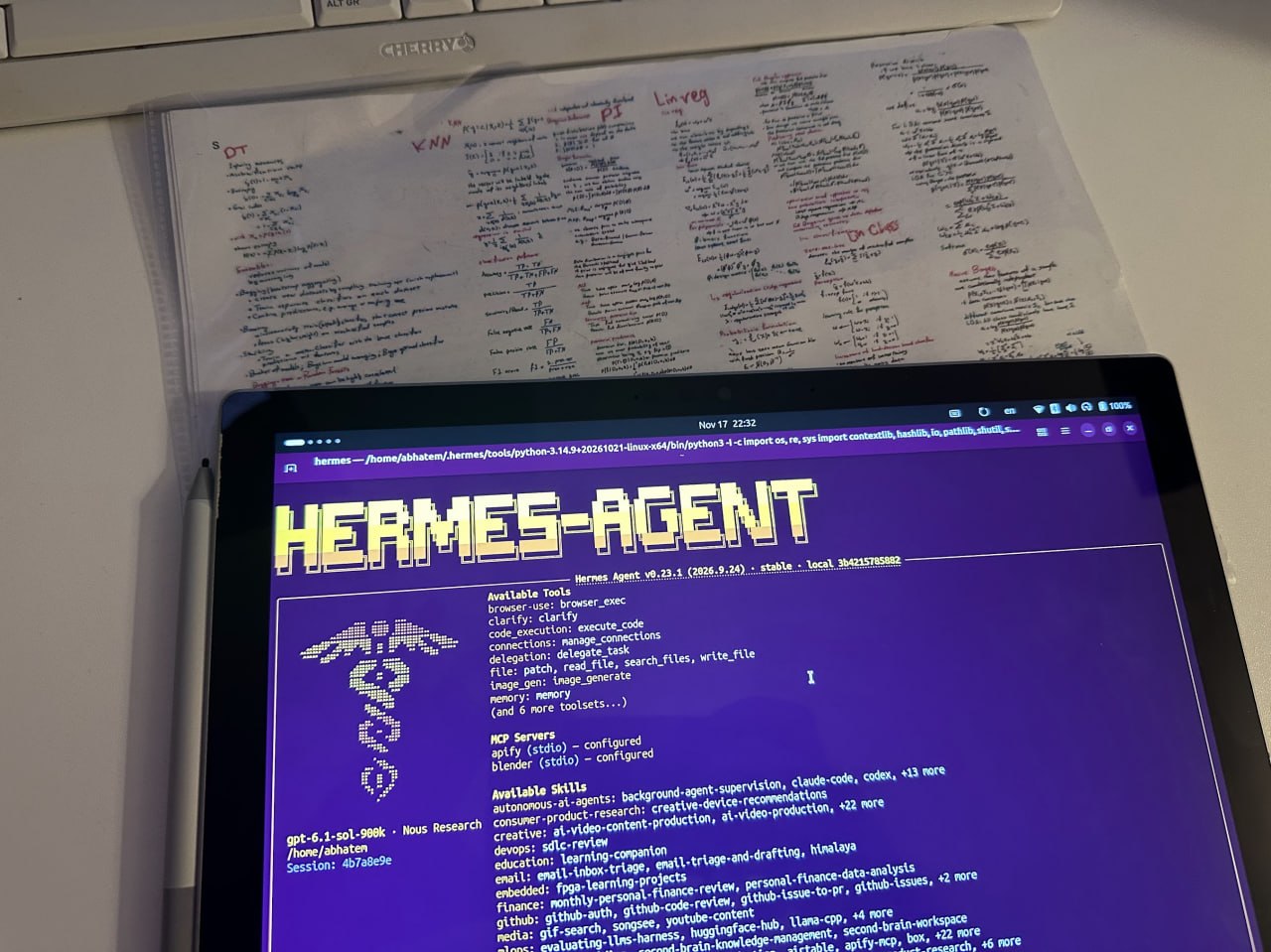
During my master's, I used my Surface Pro 7 to take notes. Now that same machine hosts my AI assistant's memory, conversations and skills.
There's something poetic about that. I used to write things down on it so I wouldn't forget them. Now I can message it from my phone and ask it to help me remember something or pick up where I left off.
The reason for moving Hermes there was more mundane. I wanted to turn off my loud gaming PC.
Giving the Surface another job
In my earlier post about my AI agent setup, most of the experimenting happened on my desktop. That made sense when I was trying local models on my RTX 5070 Ti. It made less sense when I just wanted to send Hermes a message from Telegram.
Keeping the whole desktop running for that felt wasteful. I already had a quiet Surface sitting around, and hosting an agent that calls a cloud model doesn't need the same hardware as running the model itself.
I also use a MacBook for portable work. I wanted to continue using the same assistant from whichever device I had with me, rather than maintain a separate installation and conversation history on every machine.
Where everything runs
The Surface runs Linux and hosts the main Hermes gateway. Its default profile holds my conversation history, memory, skills and integration credentials. It also owns the Telegram and Discord bot connections.
My phone is usually the easiest interface. I send a message through Telegram and get the result back in the same conversation. There's also an authenticated browser dashboard, accessible through my private Tailscale network, so I don't need to manage a manual tunnel whenever I want to open it.
The desktop and MacBook are separate places where Hermes can do work through SSH. The desktop remains useful for local models and heavier creative work. The Mac is my portable development machine.
One detail took a bit of getting used to: opening Hermes on the Mac doesn't move its terminal to the Mac. Ordinary commands still run on the Surface unless it explicitly connects to another machine.
Where I'm chatting and where a command runs are different things. Asking the assistant which machine it is using is a perfectly reasonable question.
Keeping the history
I didn't want a fresh assistant that had forgotten everything we'd already worked on.
The desktop installation had conversations, skills and scheduled tasks I wanted to keep. The Surface had some of its own state too, so copying one directory over the other would have thrown things away.
The migration involved testing database changes on copies, preserving conflicting skills, and checking that imported conversations could actually be read and searched. The installations were on different database schema versions. At one point, a check passed with the system SQLite but failed with the SQLite used by Hermes itself. Testing in the target runtime caught something the earlier rehearsal missed.
There was another detail I wouldn't have guessed: importing the messages wasn't enough to reconnect the bots to their conversations. The mappings from Telegram and Discord chats to Hermes sessions had to move too.
We also had to keep a single owner for the bots and each scheduled task. I didn't want two machines answering the same message or running the same job twice.
The bits that were annoying
Closing the Surface's cover initially made it unreachable. That needed a power management change and a test with the cover closed. A short test passed, although that's obviously not a long term reliability study.
Some scheduled tasks referenced folders that existed on the desktop but hadn't moved with the installation. Google authorization needed attention separately. Moving credentials didn't guarantee that they were still valid, and installing a dependency didn't necessarily make it available to the running gateway.
The irritating part is that a service can look healthy while an integration underneath it is broken. Each piece needs its own check.
Blender has a narrower verification boundary too. Its MCP connection was configured to launch remotely on the PC, and tool discovery worked. That doesn't establish that a complete Blender session works. The PC and the Blender bridge still need to be running.
What this setup doesn't do
This isn't automatic synchronization between three independent Hermes installations. The Surface is the main home for the assistant. Its copy of my knowledge folder is separate from the desktop copy, so edits can diverge.
Remote shell access also doesn't mean the assistant can automatically see or control the other machine's desktop.
And this is still a hybrid AI setup. Hermes runs on my hardware, but when I choose a cloud model, the requests and any context included in them go to that provider. Hosting the agent myself doesn't make every interaction local.
The Surface is now another dependency. If it sleeps, loses its connection or stops running the gateway, the assistant becomes unavailable. I've moved the maintenance to a more convenient machine, not made it disappear.
Using it from my phone
What I wanted was fairly ordinary: pick up my phone, continue a conversation, and leave the gaming PC off when I wasn't using it.
I can keep the assistant's main state on the Surface and connect to the desktop or Mac when a task belongs there. I don't need the GPU machine running just to look up a document or continue discussing a project.
I like that this particular Surface ended up doing it. During my master's it held the notes I wanted to come back to. Now it holds the conversations I want to continue.